
วิธีตั้งค่าการปริ้น Microsoft Excel ให้แสดง Comment
- พิมพ์ข้อความที่ต้องการ

2. ไปที่ Tab Review -> เลือก New Comment และพิมพ์ข้อความที่ต้องการ Comment

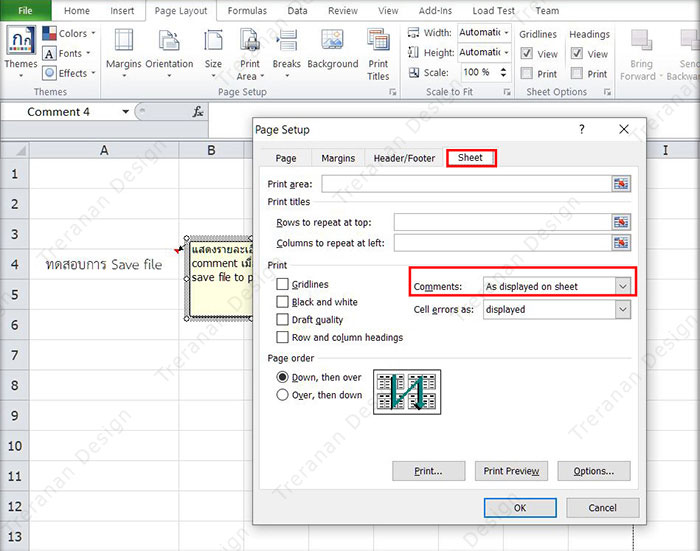
3. ไปที่ Tab Page Layout และทำการเลือกลูกศร ไปที่ Sheet Options

4. แสดงรายละเอียด Page Setup เลือก AS displayed on sheet ที่ Comments > กด OK
5. กำหนดรูปแบบการสั่งพิมพ์ comment เป็น file ที่ต้องการ แล้ว Print
 [/vc_column_text][/vc_column][/vc_row]