

มาดูวิธีเปลี่ยน Product Key Microsoft Office 2010 โดยสามารถเปลี่ยนได้โดยไม่ต้องถอนโปรแกรม มีขั้นตอนดังนี้
วิธีที่ 1
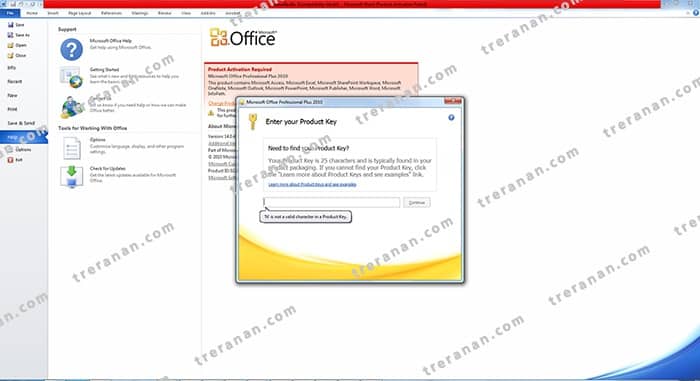
- เข้าไปที่โปรแกรม Microsoft Office 2010
– เมนู Help
– โปรแกรมจะแจ้งเตือน Non – Active
– ให้ทำการใส่ Product Key ได้เลย
วิธีที่ 2
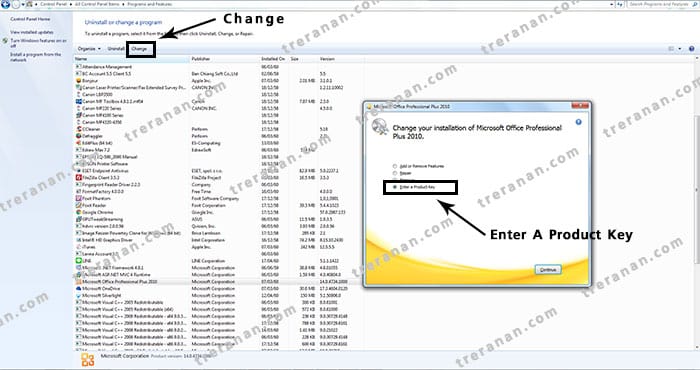
2. เข้าไปที่ Control Panel
– Unstall A Program
– คลิกที่ โปรแกรม Microsoft Office Professional Plus 2010
– คลิกที่ Change
– เลือก Enter a Product Key
 [/vc_column_text][/vc_column][/vc_row]